Tires are one of the most expensive line items in any fleet maintenance budget, yet that work has historically been managed through generic forms, inspection checklists, and standalone work orders never built with tires specifically in mind. A tread reading gets written down on a paper form with no link back to the tire’s history. An inspection gets marked complete, but the photos never make it into any record. A replacement shows up in a work order three months later, disconnected from every reading that came before it. None of it connects back to the tire, or the position, it came from, which means a tire’s real story lives scattered across paper, spreadsheets, and old work orders instead of in one place anyone can actually check.
This release gives every tire one record instead, from installation through retirement, tied to the exact position on the vehicle where it’s mounted.

What’s New
At the center of the module is per-tire, per-position tracking. Fleets can log inspections and tread depth readings for every tire on a vehicle, at every position, and capture photos to document condition and wear patterns as they change over time, with everything timestamped and attached to the tire record automatically. Rather than treating each inspection as a one-off entry, iMarq strings these records together into a complete service history for every tire in the fleet, so a technician or fleet manager can look at any single tire and see its entire story: when it went on, how it’s worn, what’s been flagged, and when it’s likely to come off.
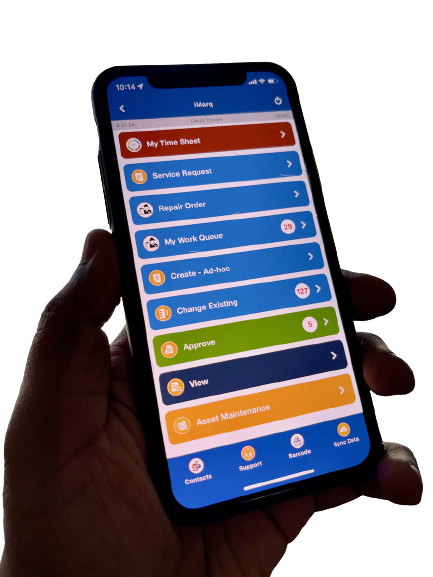
Because Tires lives inside the same iMarq workflow used for other maintenance tasks, technicians don’t need a separate tool, a separate app, or a separate habit to build. Inspections run as a normal step in the maintenance workflow crews already follow, work orders, inspections, and tire records all stay connected to each other automatically, and history follows the exact position on the vehicle, so a rotation or a swap never breaks the record. There’s no switching between systems mid-inspection, and no separate spreadsheet sitting off to the side that someone has to remember to update and that inevitably falls out of sync with what’s actually happening on the shop floor.
How It Works
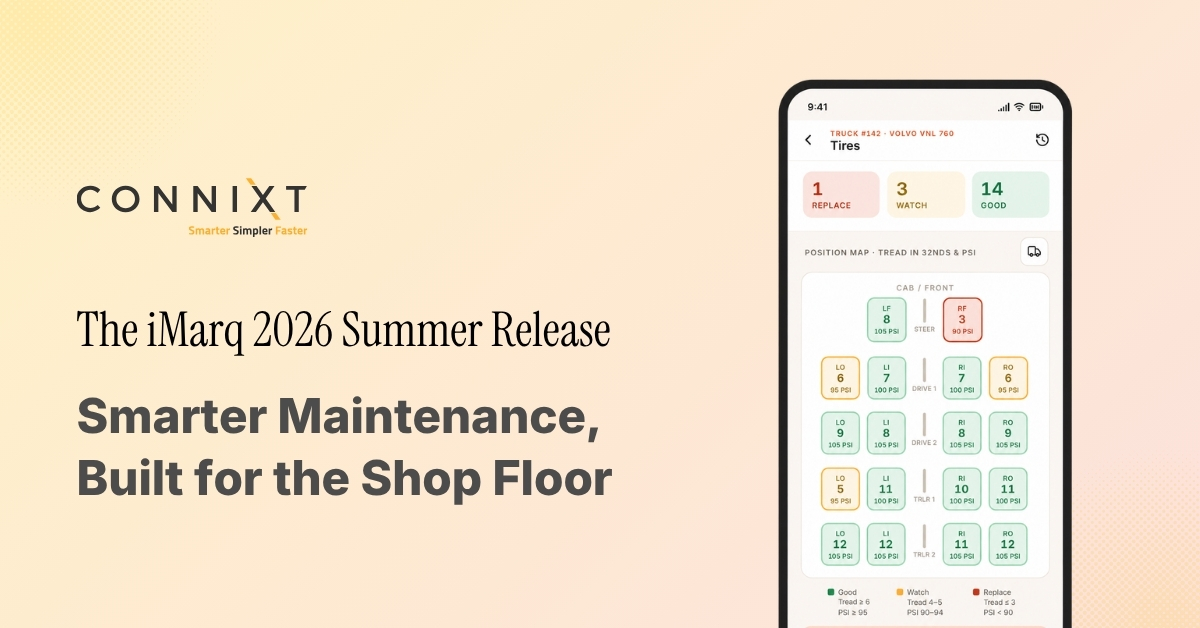
Every vehicle gets a tire map: each position at a glance, color-coded by tread status, so a technician can see which tires need attention before they even open a record. Tapping into a position pulls up its full detail, current tread reading, wear trend over time, service history, and how long it’s been in service, giving a complete picture in a single view instead of piecing one together from multiple records.
Logging an inspection walks through each position in turn. A technician records the tread depth, marks the condition as pass, watch, or fail, and tags the wear pattern itself, whether that’s even wear, outer shoulder wear, cupping, or feathering, so the underlying cause gets captured, not just the symptom. That distinction matters: two tires can both read low on tread depth, but one might simply be near end of life while the other is wearing that way because of an alignment issue that needs a mechanic’s attention beyond a routine swap. If a tire does need replacing, a replacement work order can be created directly from that same screen, without breaking the flow of the inspection.
From there, every tire follows the same four-stage lifecycle inside a single record. It’s installed, assigned to a vehicle and a specific position. It’s inspected, with tread and condition logged alongside photos over time. It gets rotated or repaired, with position and service changes tracked in place rather than as a disconnected new entry. And eventually it’s retired, closed out with a complete history intact. Each stage writes to that same tire history, so nothing has to be re-entered or reconciled later.
Why It Matters
Tires wear unevenly, fail unpredictably, and cost real money every time a fleet gets the timing wrong. Replacing too early wastes tread life that was still usable. Replacing too late risks a breakdown on the road, a failed roadside inspection, or a safety issue that could have been caught days or weeks earlier. Tracking wear per position, over time, and by pattern is what turns tire management from a reactive task into a proactive one, catching a developing problem while it’s still a quick fix instead of after it’s already become a bigger repair or a missed delivery.
With a complete service history for every tire, fleets get better visibility into one of the highest-cost, highest-turnover components in the maintenance cycle. Rather than treating tire condition as something to check on an ad hoc basis, fleets can start to see rotation schedules, wear issues, and replacement needs as patterns worth planning around, not surprises to react to.
Where iMarq Fits
Tires doesn’t ask a fleet to change how it already runs. It connects to the ERP, EAM, and CMMS systems already in place, including Isaac Instruments, Geotab, SAP, RTA Fleet, Truckmate, and Trapeze, so tire history sits alongside the rest of a fleet’s maintenance data rather than in a system of its own. It’s part of the same iMarq platform crews already use for work orders, inspections, and compliance, which is also where the other two additions in this release, the Isaac Instruments integration and Pinpoint, live.
Learn more about the Summer ’26 Release: www.connixt.com/imarq-summer-2026-release