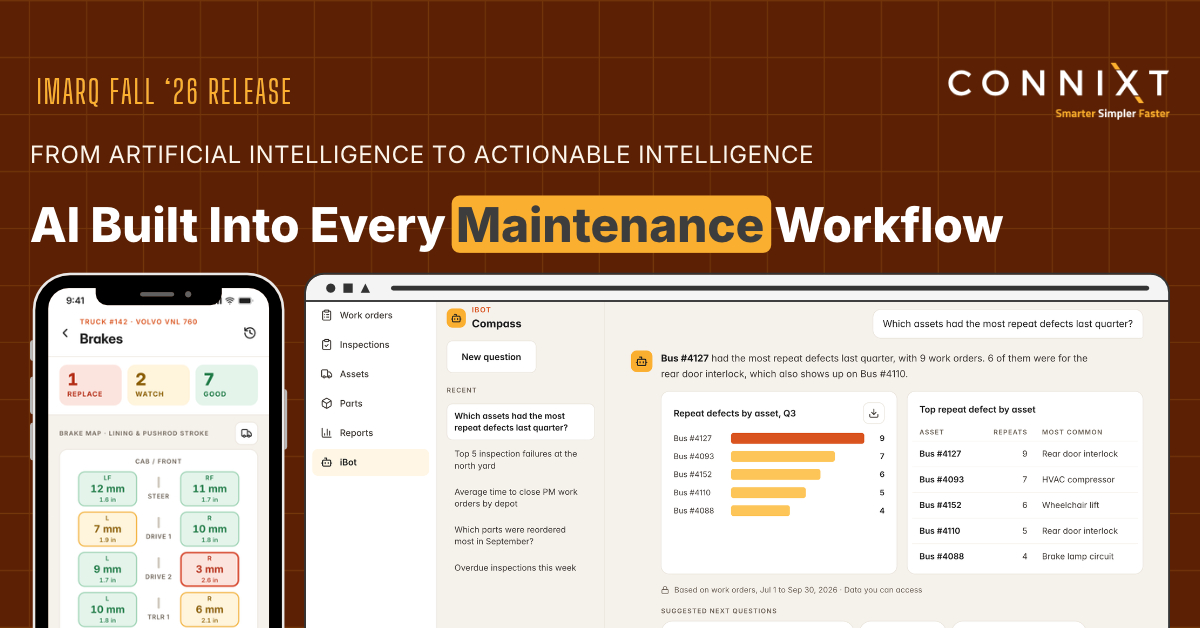
The Fall Release of iMarq introduces Compass, a new AI capability within iBot that allows users to ask plain-language questions about maintenance data and receive answers with tables, charts, and graphs. iBot now combines multilingual voice-to-record, Pinpoint, and Compass, all operating within existing workflows and respecting data permissions and organizational AI policies.
The release also adds a dedicated Brakes module, enabling detailed inspection and tracking of brake components across trucks, trailers, transit buses, railcars, and locomotives. It includes color-coded status maps and complete service histories, improving visibility, safety compliance, and audit readiness. Additional bug fixes and smaller enhancements are also included across the platform.
Connixt AI in iMarq: Available Today
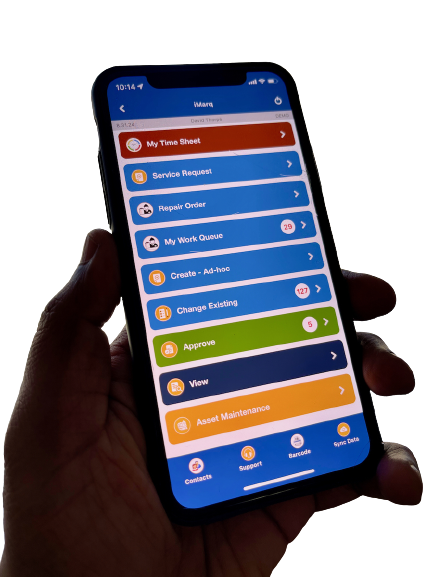
AI built in. Not bolted on. With the Fall Release, AI in iMarq is no longer something on the horizon. It is in production, available to customers today, and delivering value in the field for maintenance teams across trucking, rail, public transit, utilities, and facilities. iBot, the AI maintenance assistant inside iMarq, now brings together three capabilities: multilingual voice-to-record, Pinpoint, and the newly released Compass. Each one lives inside the iMarq workflow crews already use, so there is no new app to learn and no new process to manage.
The goal behind every one of these capabilities is the same one iMarq was built on: make life easier for the people who keep assets running. Every AI feature Connixt builds has to do two things at once, making the technician faster in the field and giving managers intelligence they could never get before. Technicians can speak in any of 27 languages, and iMarq writes the record in clean, consistent English for supervisors, QA, and compliance. They can ask Pinpoint a question about a piece of equipment and get an answer grounded in manufacturer manuals and their organization’s own documentation, cited down to the page. And with Compass, crews, supervisors, and managers can now ask questions of their own maintenance history and get answers back in a format they can act on.
iBot is built for organizations that take AI seriously. It runs on each customer’s own controlled data, nothing is used to train outside models, and responses come with guardrails such as source citations, confidence thresholds, and escalation to a designated human authority when confidence is low. Connixt works within each organization’s AI policy and approval process, and teams can start with a scoped proof of concept on historical data before anything touches live operations.
Learn more about Connixt’s AI vision at www.connixt.com/ai and explore iBot at www.connixt.com/ibot.
Compass: Ask Your Maintenance Data Anything
Every work order, inspection, and checklist completed in iMarq creates structured, time-stamped data. Over months and years, that data holds the answers to questions maintenance teams ask every day: which assets keep coming back to the shop, where failures cluster, and how workloads shift by season or location. Until now, getting to those answers usually meant waiting on a report, exporting to a spreadsheet, or knowing how to build a query. Compass, the newest capability in iBot, removes that barrier.
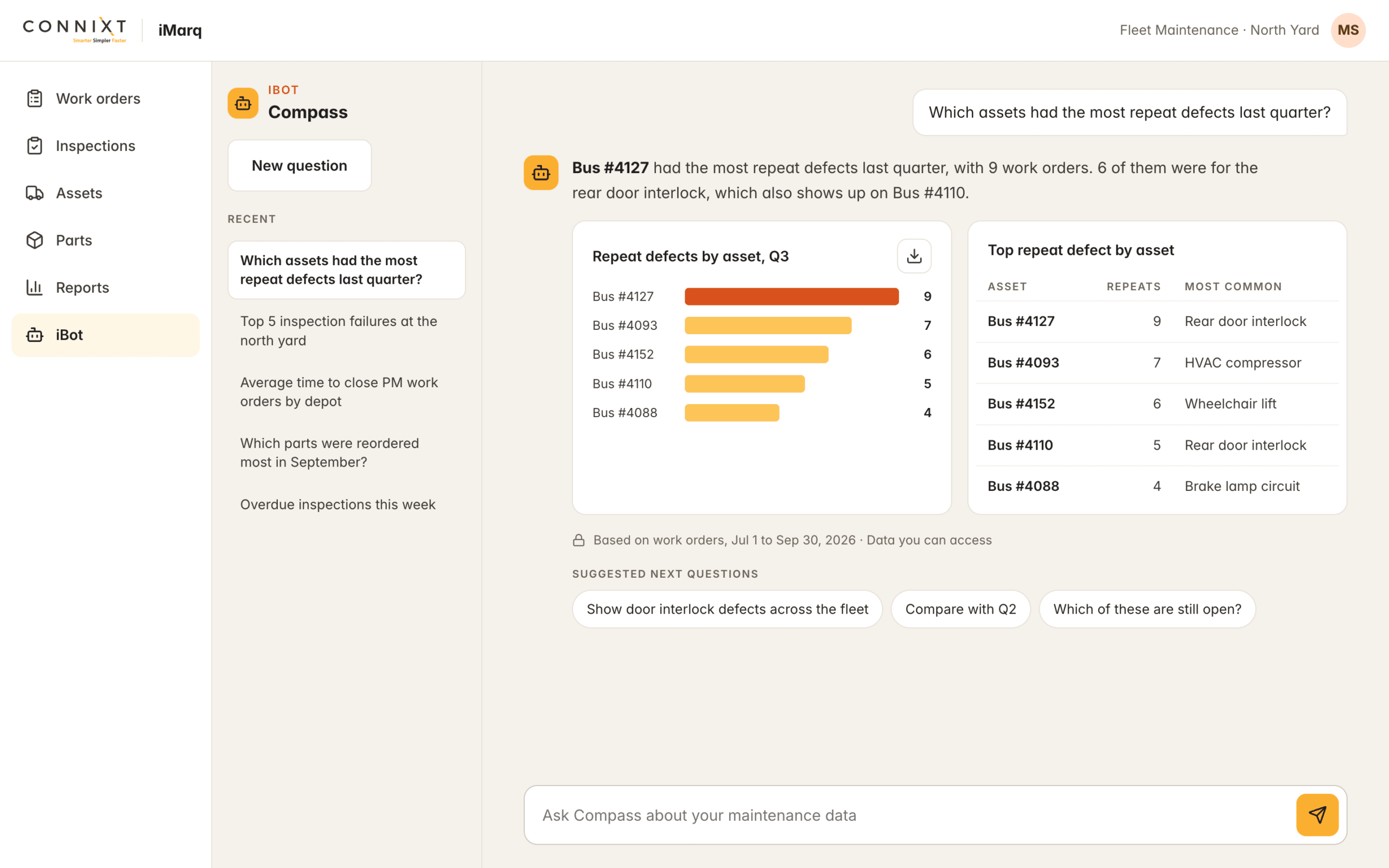
Compass is grounded in each customer’s own iMarq data, across every module, and turns plain-language questions into answers. A crew member, supervisor, or manager can ask a question in their own words, even a vague or open-ended one, such as “Which assets had the most repeat defects last quarter?” or “What failed most often at our north yard last winter?” Compass interprets the question, looks up the relevant maintenance data in iMarq, and returns the answer in a clear, easy-to-digest format, with tables, charts, and graphs where they help tell the story. No report requests, no spreadsheets, no query syntax.
Not sure where to start? Compass offers suggested questions that help users explore their data and surface patterns they may not have thought to look for. Compass is available on both mobile and web, and it respects each user’s existing permissions in iMarq, so people only see the data they are already authorized to access. The result: supervisors answer their own questions without waiting on reports, crews get quick answers about the assets they work on, and management gains visibility into patterns hidden in years of maintenance records.
Brakes Module
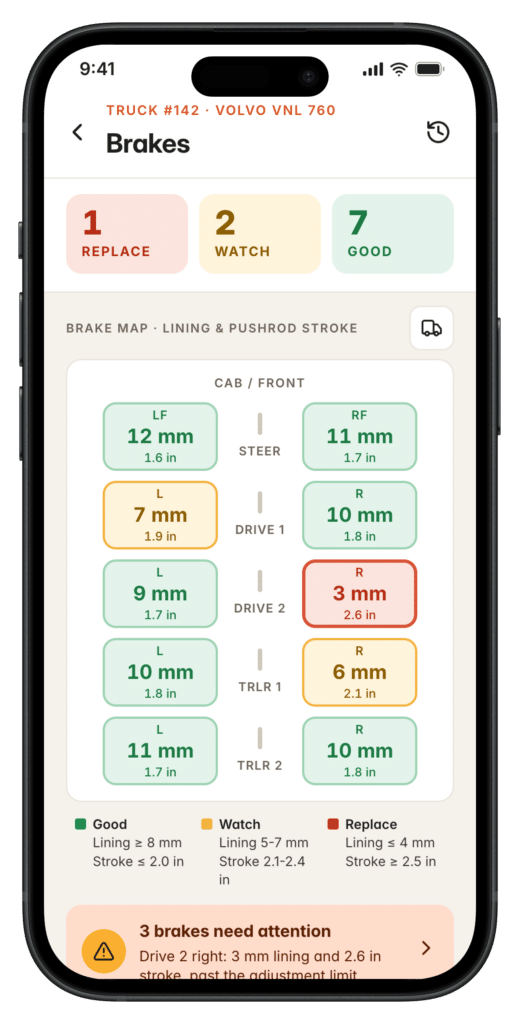
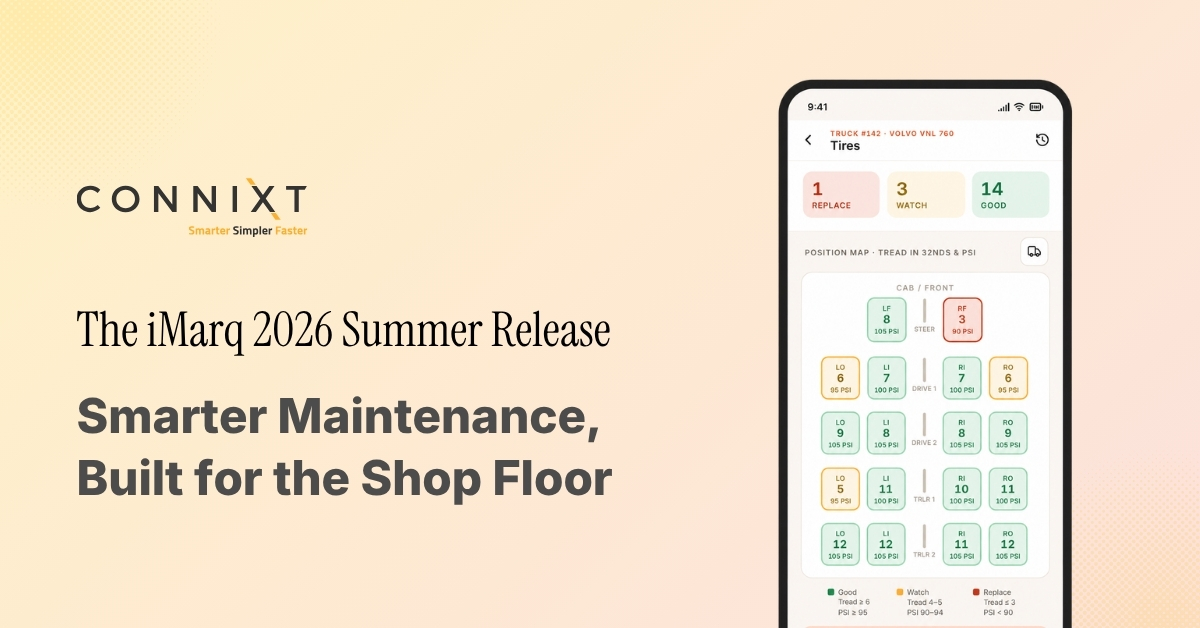
Brakes are among the most safety-critical systems on any vehicle or asset, and among the most closely scrutinized during roadside, regulatory, and internal inspections. Yet brake condition has typically been tracked through general inspection checklists and free-text notes, making it difficult to see wear over time or compare performance across a fleet. Building on the Tires module introduced in the Summer Release, this release adds a dedicated Brakes module designed around the full lifecycle of brake components on every asset.
Crews can log brake inspections and measurements per position and per component, including pad and lining thickness, drum and rotor condition, and air brake pushrod stroke where applicable, and capture photos to document condition and wear patterns over time. A color-coded brake map shows status at a glance, and every position builds a complete service history from installation through replacement. The module supports trucks, trailers, transit buses, railcars, and locomotives, and works within the same iMarq inspection and DVIR workflows technicians already use, so brake records, inspections, and work orders all stay connected.
The result is better visibility into brake performance across the fleet, earlier detection of wear before it turns into an out-of-service violation or a safety risk, and complete, documented records ready whenever an inspector or auditor asks for them.
Also in This Release
A number of bug fixes and smaller enhancements across the platform.